Hiding scrollbar using CSS
28 May 2020
Ever since I've used MacOS for web development, I've loved how MacOS neatly hides the scrollbar from view. I've completely gotten used to not seeing a scrollbar on the webpages thanks to how MacOS handles this.
After switching to Ubuntu on my Macbook Air, I saw how the blog was rendered on the browsers and immediately, the scrollbar looked very out of place with the overall theme I've put together. And I had to get rid of it anyhow.
I've faced issues with nested lists where scrollbars used to pop up taking some width and making the overall interactivity unpleasant. And therefore, I decided to do something about it.

It bothers me to this day that I couldn't figure out a way to hide these scrollbars at The Wedding Brigade.
Hiding scrollbars using CSS.
For this blog, I'm using 4 CSS properties to hide the scrollbar while keeping the scroll functionality in place.
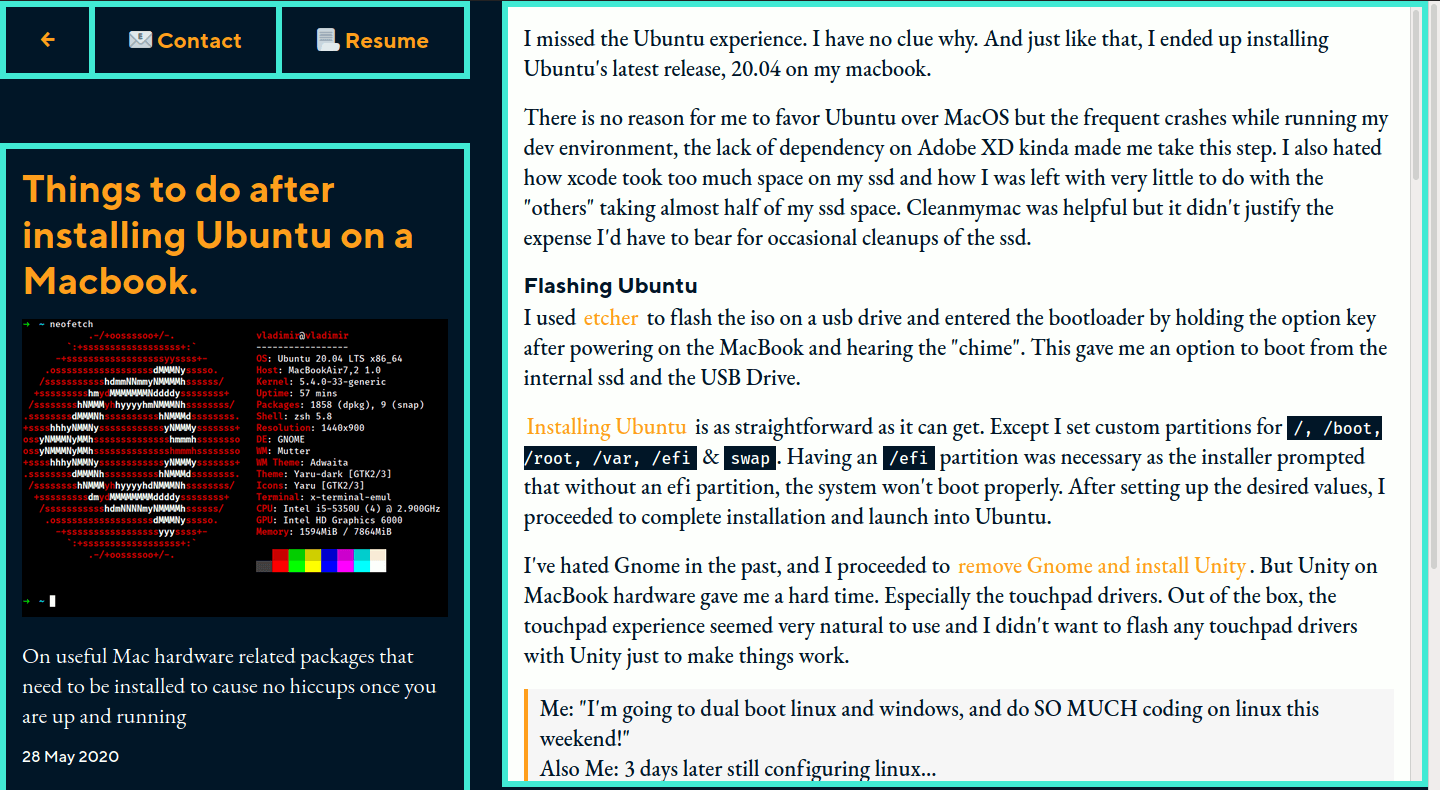
Before adding the css rules
* {... -ms-overflow-style: none;// hides scrollbars on microsoft browsersoverflow: -moz-scrollbars-none;// hides scrollbars on old firefox browsersscrollbar-width: none;/* experimental rule, hides scrollbars on newer firefox browsers */}// hides scrollbars on webkit based browsers::-webkit-scrollbar {display: none;}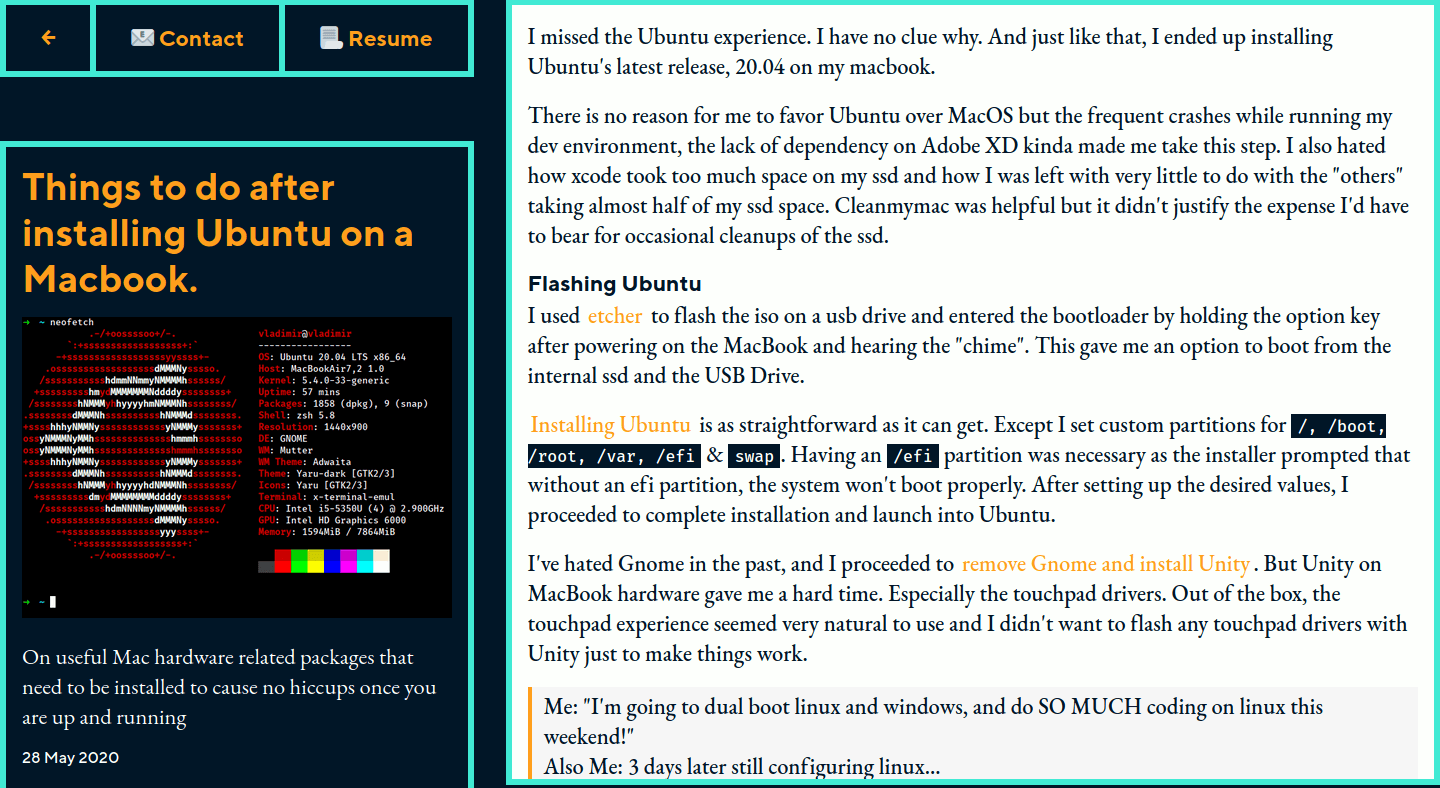
After adding the css rules
I've added these rules to the root elements but you can add it to an element that's bound to render a scrollbar.
Removing scrollbars can have a negative implication w.r.t accessibility, but at times I do give aesthetics a priority.